Data Planning
How Much Travel Data Do I Need?
Most travelers can start with 0.5 to 1 GB per day, then adjust for video, cloud backups, work calls, and hotspot use. Calculate the trip before choosing a plan.
- Author
- RoamMatch editorial team
- Reading time
- 5 min read
- Updated
- Updated 2026-07-18
In brief
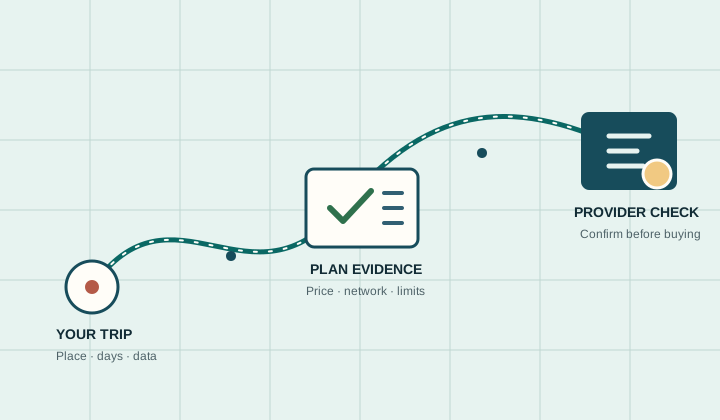
Estimate how many GB you need for a trip using daily travel profiles, a simple calculator, streaming examples, hotspot planning, and a safety margin.
Quick estimate: start with 0.5 GB per day for light travel use, 1 GB per day for everyday use, or 2 GB per day when video, work calls, uploads, or hotspot use are common. Multiply by the number of travel days, then add a 20% safety margin.
These are planning ranges rather than network guarantees. Actual use depends on video quality, automatic backups, app behavior, device settings, and whether a laptop or tablet shares the connection. The safest plan is based on your trip, not on the largest allowance advertised.
Travel data calculator
Use this simple formula:
Daily estimate x travel days x 1.2 = suggested allowance
| Travel profile | Planning range | Typical use | Example for 10 days |
|---|---|---|---|
| Light | 0.25-0.5 GB/day | Maps, messaging, email, tickets, occasional browsing | 3-6 GB including a margin |
| Everyday | 0.75-1 GB/day | Maps, social feeds, browsing, music, short video clips | 9-12 GB including a margin |
| Heavy | 1.5-2.5 GB/day | Frequent video, video calls, uploads, some hotspot use | 18-30 GB including a margin |
| Hotspot or remote work | 3 GB/day or more | Laptop work, cloud files, long calls, software updates | 36 GB or more including a margin |
If the result falls between plan sizes, compare the cost of the next allowance with the provider's top-up option. A smaller rechargeable plan can be better value than a large allowance that expires unused.
What uses the most mobile data?
Video usually changes the answer fastest. Netflix publishes examples from up to 0.3 GB per hour at Low quality to up to 3 GB per hour for HD and 7 GB per hour for Ultra HD. Other services, codecs, devices, and quality settings can use different amounts.
| Activity | Planning impact | How to control it |
|---|---|---|
| Maps and navigation | Usually modest after maps are cached | Download offline areas before departure |
| Messaging and email | Low for text, higher for large media | Disable automatic media downloads |
| Social media | Variable because feeds autoplay video | Turn off autoplay and high-quality uploads |
| Music streaming | Steady use over long listening periods | Download playlists on Wi-Fi |
| Video streaming | High to very high | Lower playback quality or download offline |
| Video calls | High and sensitive to call length | Use trusted Wi-Fi for long meetings |
| Cloud photos and files | Can consume several GB in the background | Pause mobile backups and sync |
| Hotspot use | Often highest because computers update and sync | Enable metered-connection settings |
For a detailed viewing estimate, use the video-streaming eSIM guide. Travelers connecting a laptop should also check the hotspot comparison and the exact provider tethering policy.
Three example trips
Five-day city break
A traveler using maps, messaging, restaurant searches, tickets, and occasional social media may plan around 0.5 GB per day. The formula gives 0.5 x 5 x 1.2 = 3 GB. Downloaded maps and hotel Wi-Fi can reduce the requirement.
Two-week multi-country trip
An everyday user who posts photos, streams some music, browses daily, and uses navigation can start around 1 GB per day. The estimate is 1 x 14 x 1.2 = 16.8 GB. A 20 GB regional plan may provide a practical buffer, provided every destination is included.
One month of remote work
Remote work is difficult to estimate from phone use alone. Video meetings, cloud storage, laptop updates, and hotspot traffic can exceed 3 GB per day. Measure normal device usage before the trip, use accommodation Wi-Fi for large transfers, and compare a refillable fixed-data plan with an unlimited-style plan whose fair-use and hotspot limits are clearly published.
Fixed data or unlimited-style data?
Fixed-data plans make the allowance clear and can be economical for predictable use. Unlimited-style plans reduce the need to watch a counter, but unlimited does not always mean unlimited full-speed data or unlimited hotspot use.
Before choosing unlimited, verify the high-speed threshold, period used for the threshold, reduced speed, hotspot allowance, validity, and whether the policy changes by destination. RoamMatch maintains an unlimited eSIM hub and a fair-use comparison for those checks.
How to reduce data use before departure
- Download offline maps, boarding passes, translation packs, music, and video on Wi-Fi.
- Disable mobile photo backup, operating-system updates, and automatic app updates.
- Turn off video autoplay in social apps and choose a lower streaming quality.
- Mark a laptop hotspot as a metered connection and pause cloud synchronization.
- Use the travel eSIM as the data line and disable cellular-data switching to the home line.
- Set usage alerts before reaching the plan allowance.
What to check in an eSIM plan
- Confirm that the plan covers every destination and travel date.
- Compare the usable allowance, not only the headline label.
- Check when validity starts and whether unused data expires.
- Verify hotspot rules if another device will connect.
- Look for top-ups, add-ons, or a clear out-of-data behavior.
- Confirm the final price and terms on the provider's current checkout page.
Once you have an estimate, use the trip matcher to shortlist suitable plans. The data-surprise guide explains how to monitor the allowance after activation.
Frequently Asked Questions
Is 1 GB per day enough for travel?
It is a useful starting point for maps, browsing, messaging, social media, music, and limited video. It may be too low for frequent HD video, long video calls, cloud backups, or laptop hotspot use.
How much data do I need for a week abroad?
A light user can often plan 3-5 GB, an everyday user 7-10 GB, and a heavy user 15 GB or more. Add a margin and adjust for video, work, hotspot, and available Wi-Fi.
Does GPS use a lot of data?
Navigation usually uses less data than video, but map downloads and live searches still count. Downloading offline maps before departure reduces both data use and dependence on coverage.
Should I buy more data than the calculator suggests?
A 20% margin is usually a reasonable planning buffer. Buying much more may waste money if the data expires, so also compare top-up availability and price.
Do unlimited eSIM plans remove the need to calculate?
No. The estimate helps you judge whether an unlimited-style plan is worth the price and whether its full-speed and hotspot limits fit the trip.
Continue the decision
Best eSIM in 2026: The Evidence-Based RoamMatch Hub
This is the main decision page for broad best-eSIM searches. It points search engines and travelers toward the strongest subpages instead of letting many similar articles compete with each other.
Open this topic hub